Set up for your platform
On PC, identify camera movement and each combat binding before fighting. Check whether your current menu offers input settings rather than assuming a mouse button from another boxing game.
On mobile, locate the touch controls and keep the combat view visible while reaching guard and slip inputs. If a finger covers the opponent, adjust your grip before practicing a reaction.
On console, check the displayed controller prompts. Letter and symbol labels differ across controllers, so use the labels shown by the game on your device.
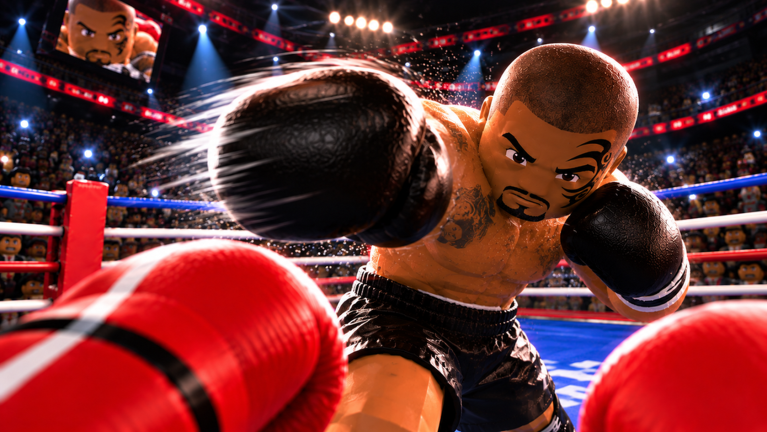
The actions that matter
Attack: observe how the attack is presented in first person. Learn one input at a time rather than importing an untested combo from another title.
Slip: the official description identifies slipping punches as an evasive part of combat. An evasive action and a guard are different decisions; inspect the result of each in practice.
Head and body guards: the developer names separate protection for those targets. First recognize where the attack is going, then select your protection.
Counter: the developer advertises strong counters. This does not establish one universal input or a particular number of frames. Exact triggers should come from current gameplay instructions and reproducible tests.
Read stamina alongside the controls
The official fatigue rule is simple: getting tired slows you down. A technically correct input can still be a poor choice if you ignore that state.
In AI practice, watch stamina before acting, after an exchange and during the pause that follows. Compare what you see rather than assuming a published cost or recovery time.
If the controls do not feel right
Return to the current in-game instructions and confirm the input you are trying. Check that you are in First Person Boxing by Can You Box?, not another similarly named experience.
If the device fails to register inputs elsewhere in Roblox too, check the device connection and Roblox settings. Do not install a third-party script or hand over account access to fix controls.